
Chapter 1: Introduction to Hello and Elementor
When it comes to building modern WordPress websites, the dynamic duo of the Hello theme and the Elementor page builder stands out as a powerful combination, offering exceptional flexibility and customization. In this chapter, we dive into the world of Hello and Elementor, exploring their respective roles and the synergy that makes them so popular among web designers.
The Hello Theme: A Blank Canvas for Creation
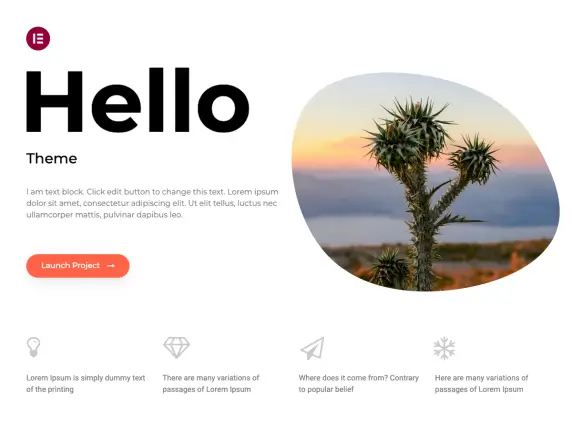
The Hello theme, developed by the Elementor team, presents itself as a blank canvas ready to receive your creative ideas. Unlike traditional themes that can be heavy and cluttered, Hello stands out for its lightness and simplicity. Its primary goal is to provide a minimal yet robust foundation, allowing the Elementor editor to shine without constraints.
Hello positions itself as a universal theme, suited to a wide variety of projects, whether creating a blog, a showcase site, or even an online store. Its minimalism is not a limitation, but rather an invitation to customize and extend functionality according to each user's specific needs.
Elementor: The Revolutionary Page Editor
Elementor, for its part, is far more than a simple page editor. It is a full site builder offering an intuitive drag-and-drop interface that eliminates the need to master code in order to create professional layouts. With features such as real-time editing, instant preview, and an extensive widget library, Elementor lets users bring their ideas to life without any technical constraints.
The tight integration between Hello and Elementor is the key to this successful partnership. Hello provides the structure, while Elementor delivers the creativity. By combining their strengths, these two elements simplify the design process and ensure that customizing a WordPress site is within reach for everyone, regardless of their experience or goals.
(strong construction demand in the Dracénie),
Before diving into installation and customization, it is essential to understand why you should choose Hello and Elementor from the multitude of options available. In addition to their simplicity of use, these tools deliver exceptional performance. Hello's lightweight footprint ensures fast loading times, while Elementor enables unlimited customization, creating an optimal user experience.
Whether you are a beginner looking to create your first website or a web development professional, the Hello and Elementor combination opens up new design possibilities. This chapter lays the groundwork for the exciting journey ahead, where creativity and functionality converge to create exceptional WordPress websites.
Chapter 2: Preparing for Installation
Before undertaking the installation of the Hello theme for Elementor, it is essential to prepare carefully to ensure a smooth and trouble-free transition. This chapter highlights the necessary preliminary steps, the crucial checks, and the preparatory advice to ensure a successful installation.
Understanding System Requirements
First of all, make sure your WordPress environment meets the requirements of the Hello theme and the Elementor editor. Check the WordPress version, compatibility with essential plugins, and the recommended server settings. This preventive step ensures optimal compatibility and avoids potential conflicts.
Back Up Your Site
Before making major changes to your site, the golden rule is to back up all your data. Use reliable backup solutions to keep a copy of your site in its current state. In the event of an unexpected issue, this precaution will allow you to quickly restore your site without data loss.
Evaluation of Current Extensions
Make sure to account for all the extensions and plugins you currently use on your site. Some plugins may interact unexpectedly with new themes. List your critical extensions and verify their compatibility with Hello and Elementor. Update extensions as needed.
Required Features Analysis
Before opting for Hello and Elementor, clearly define the features you expect from your site. Identify the specific needs of your project, whether it involves e-commerce functionality, complex layouts, or specific design elements. This analysis will guide your choices when using Elementor's features and customizing with Hello.
Mental Preparation and Documentation
Finally, prepare yourself mentally for this transition. Familiarize yourself with the official Hello and Elementor documentation, which provides detailed instructions and tips for a successful installation. Thorough preparation reduces uncertainty and increases your confidence in the process ahead.
By following these preparation steps, you establish a solid foundation for installing the Hello theme and Elementor. This initial phase, though sometimes overlooked, plays an essential role in creating a high-performing, optimized WordPress site ready to bring your creative ideas to life. In the next chapter, we will walk through the concrete process of installing the Hello theme on your WordPress site.
Chapter 3: Installing the Hello Theme
In this core chapter, we guide users step by step through the process of installing the Hello theme. From straightforward methods to more advanced approaches, we cover all the bases to ensure your WordPress site is configured with the Hello theme in the most optimal way.
Chapter 4: Configuration and Customization with Elementor
Once the Hello theme is installed, customization becomes the key to giving your site a unique appearance. We will explore Elementor's features, focusing on building layouts, adding widgets, and advanced customization to fully unlock your site's potential.
Chapter 5: SEO Optimization and Performance
Organic SEO and site performance are critical factors for online success. In this final chapter, we will detail SEO best practices specific to Hello and Elementor. From managing meta tags to image optimization, we will guide you to maximize your site's visibility while maintaining optimal performance.
Chapter 6: Protecting Your Customizations
One of the main reasons to install a child theme is to protect your customizations. When you make changes to your site — whether to CSS code, template files, or specific features — those changes can be overwritten when the parent theme updates. By creating a child theme, you isolate your customizations and preserve them from parent theme updates.
By following these six chapters, you will be equipped not only to install the Hello theme for Elementor, but also to fully leverage the customization and optimization features offered by these powerful WordPress tools. Whether you are a beginner or an experienced user, this comprehensive guide will walk you through every step of the process, from initial installation to advanced search engine optimization.